

Gmsh Mesh#
Geometry#
We construct the geometry for the vertical cross section using 2D primitives available in the Gmsh OpenCASCADE geometry engine. Fig. 159 shows the geometry and variables names of the curves and surfaces.
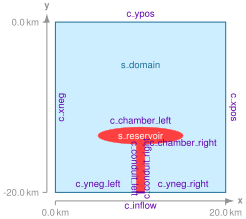
Fig. 159 Geometry created in Gmsh for generating the finite-element mesh. We create a rectangle for the domain, an ellipse for the magma chamber, and a second rectangle for the conduit. We join the ellipse and second rectangle to form the shape of the magma chamber, and them embed it in the domain.#
Meshing using Python Script#
We use the Python script generate_gmsh.py to create the geometry and generate the mesh.
We create a class App that implements the functionality missing in gmsh_utils.GenerateMesh.
We must implement the create_geometry(), mark(), and generate_mesh() methods that are abstract in the GenerateMesh base class.
The main difference is that the geometry is slightly more complex, and we calculate the location of the points on the fault using trigonometry.
We use the Gmsh MeshSize options to define a discretization size that grows slowly at a geometric rate with distance from the main fault.
# Generate a mesh with triangular cells and save it to `mesh_tri.msh` (default filename).
$ ./generate_gmsh.py --write

# Save as above but start the Gmsh graphical interface after saving the mesh.
$ ./generate_gmsh.py --write --gui

# Create only the geometry and start the Gmsh graphical interface.
$ ./generate_gmsh.py --geometry --gui

# Show available command line arguments.
$ ./generate_gmsh.py --help
By default the Python script will generate a finite-element mesh with triangular cells and save it to the file mesh_tri.msh.
You can view the mesh using Gmsh either by using the --gui command line argument when you generate the mesh or running Gmsh from the command line and opening the file.
gmsh -open mesh_tri.msh
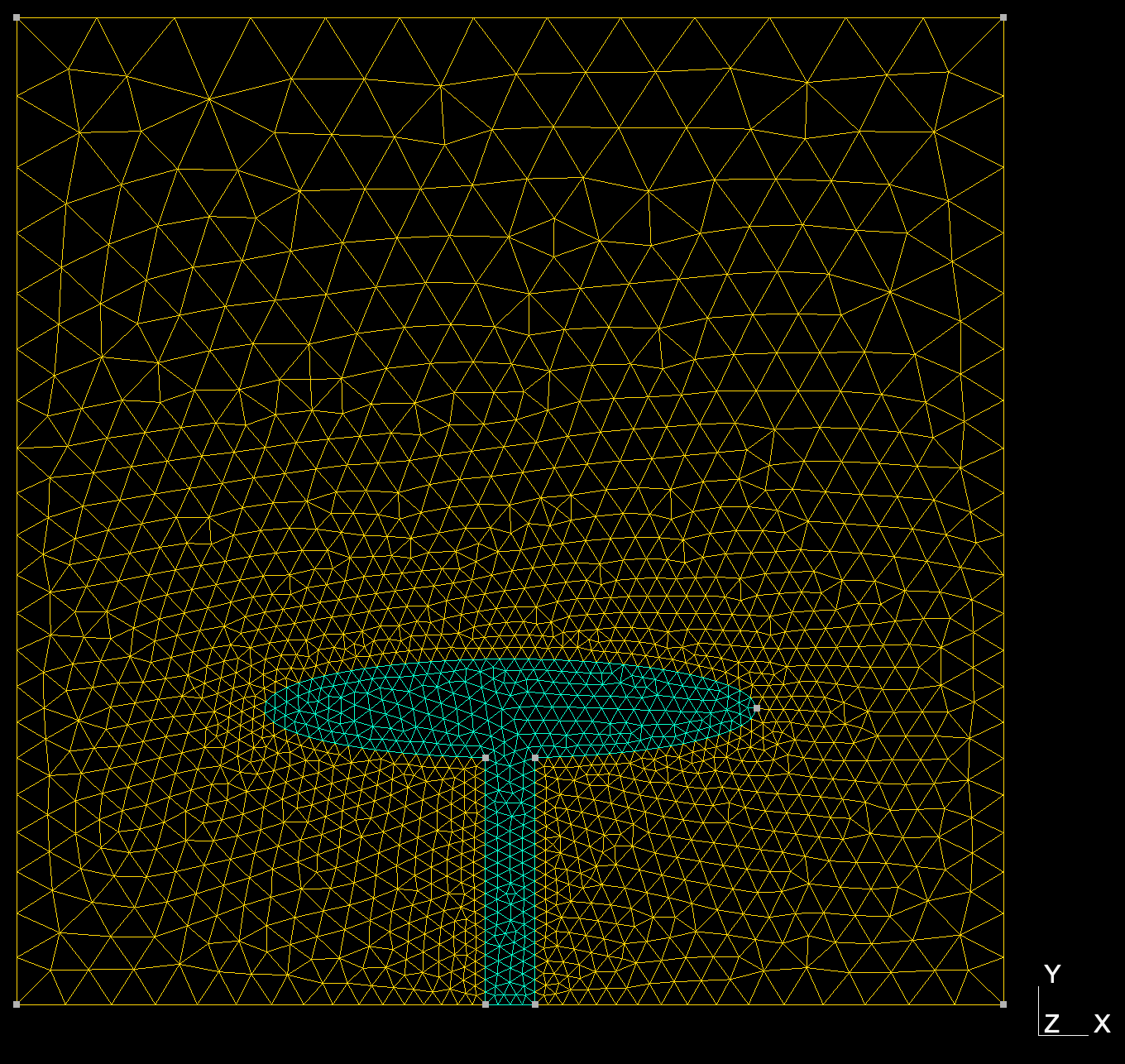
Fig. 160 Finite-element mesh with triangular cells generated by Gmsh.#